Subject Overview
Today, I'll walk you through how to manage Subjects in SSMS.
Subjects represent the courses taught in your school, such as Mathematics, English, Science, and other academic or extracurricular offerings.
Access Path: Academic → Subjects
Accessing the Subjects Module
To access the Subjects module:
Go to Academic in the sidebar
Then select Subjects
This opens the Subjects management page.
Understanding Subjects in SSMS
In SSMS, subjects are created independently.
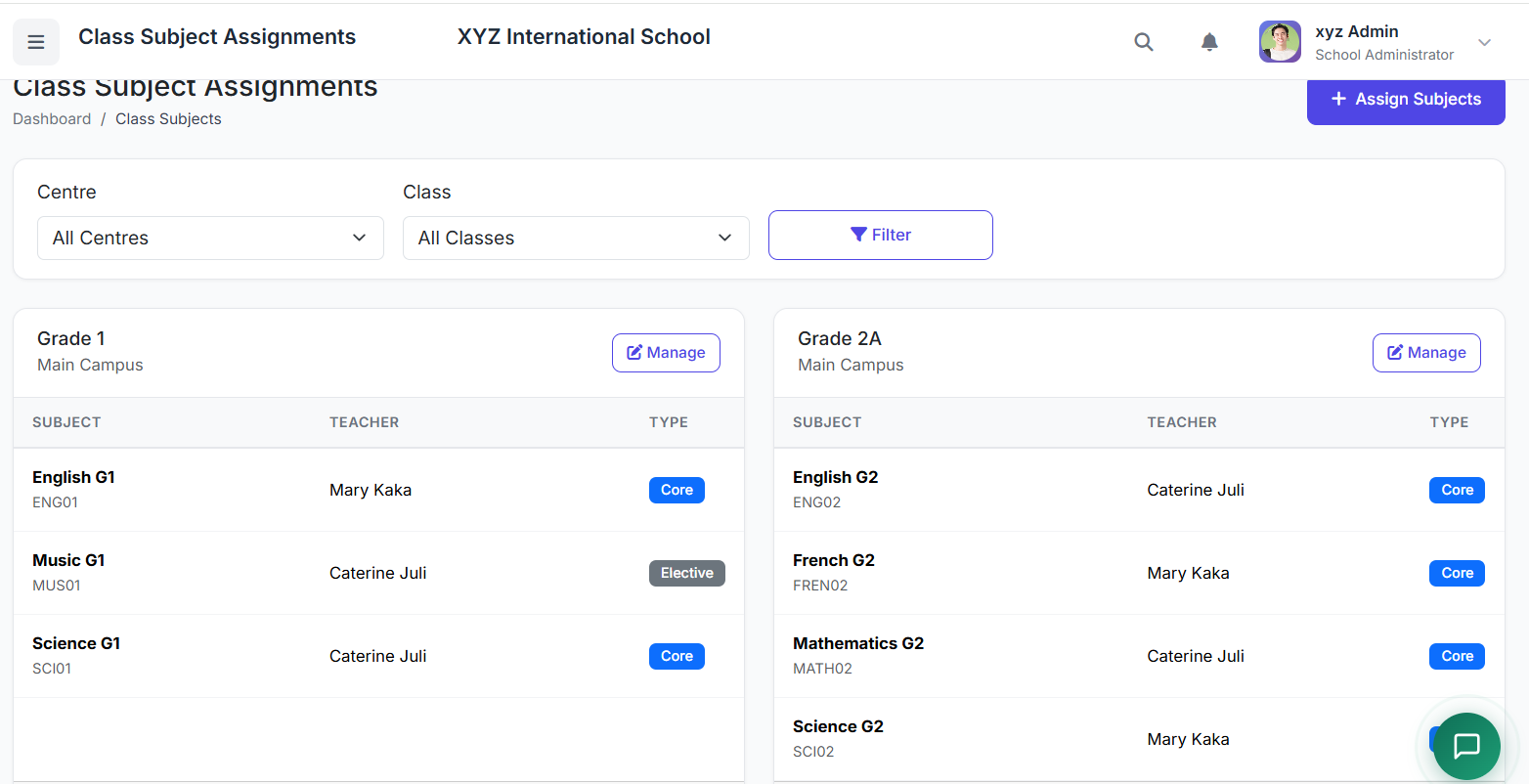
Once created, they are later assigned to specific classes using the Class Subjects module.
Why This Design?
| Benefit | Description |
|---|---|
| Reuse of subjects | Use the same subject across multiple classes |
| Flexible curriculum management | Easily adjust subject assignments without recreating data |
| Easy updates | Update subject details once, and changes reflect everywhere |
Subject Categories
Subjects are grouped into three main categories:
| Category | Description | Examples |
|---|---|---|
| Core / Compulsory | Required for all students | Mathematics, English, Science |
| Elective | Chosen based on student interest | Fine Art, Music, French |
| Extra-Curricular | Non-academic activities | Sports, Clubs, Physical Education |
Each subject must belong to one of these categories.
Subjects List Page
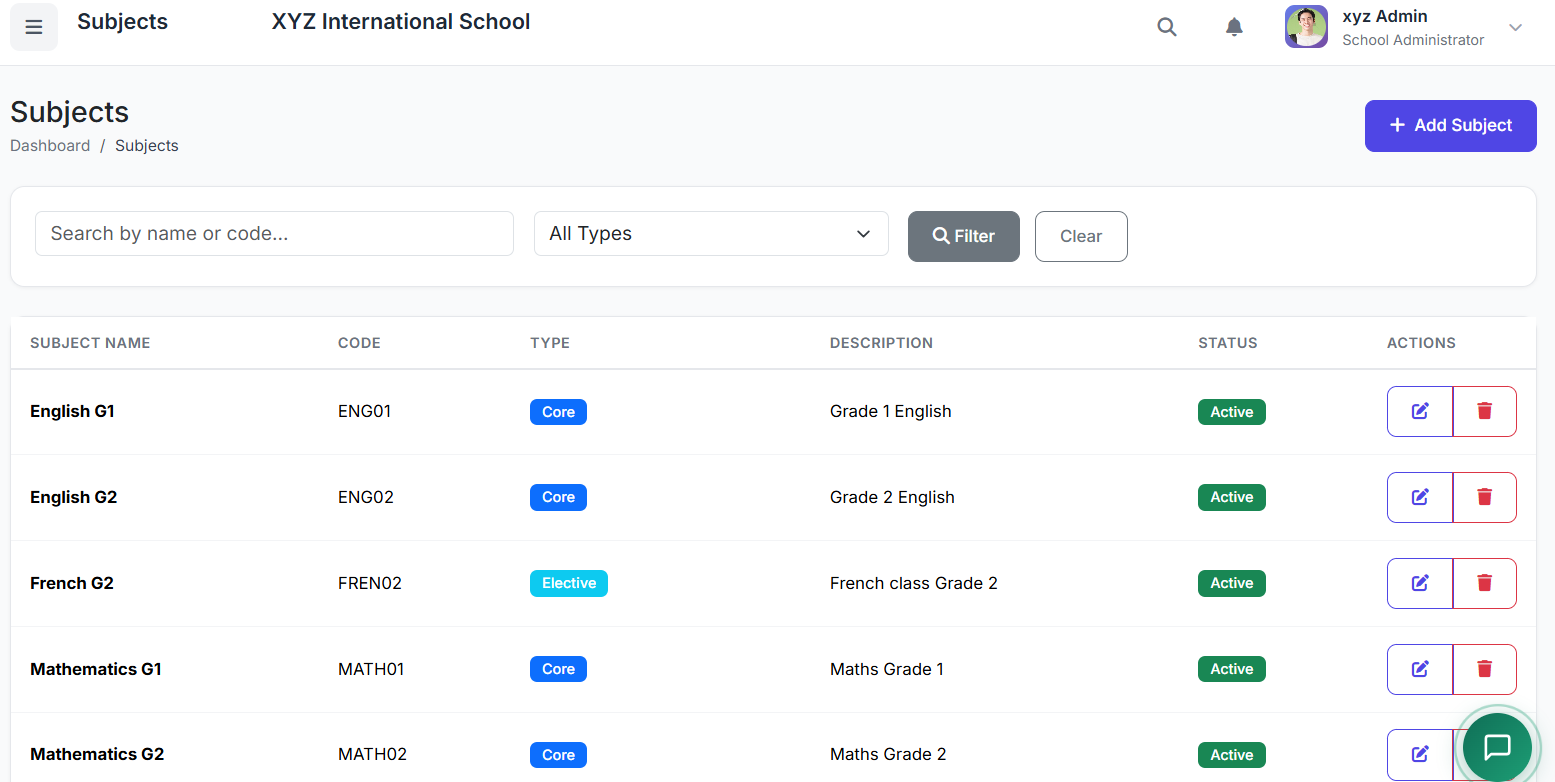
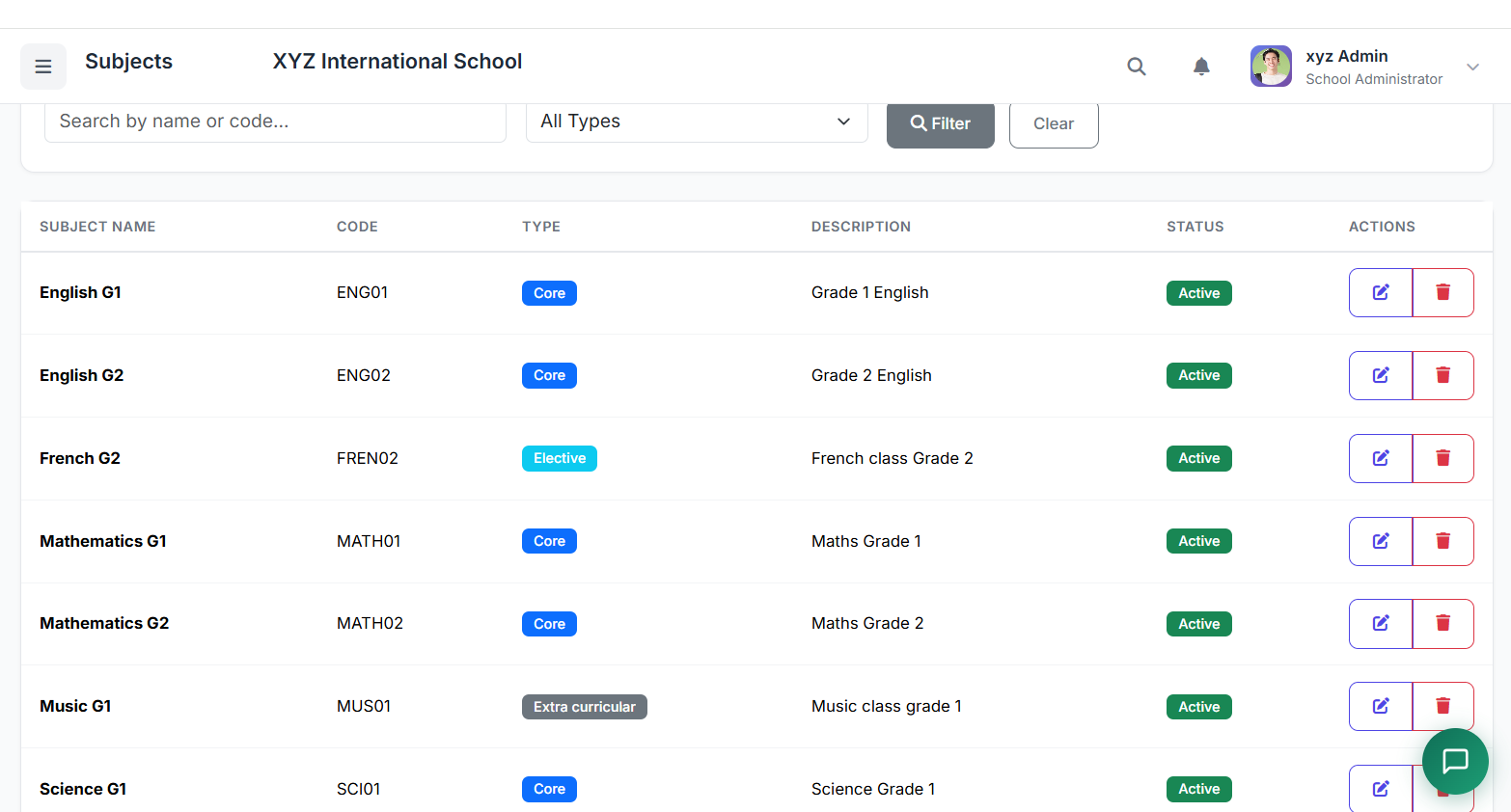
On the Subjects page, you'll see all subjects available in the system.
Each row displays:
| Column | Description |
|---|---|
| Subject Name | The full name of the subject |
| Subject Code | A unique identifier code |
| Category | Core, Elective, or Extra-Curricular |
| Status | Active or Inactive |
| Actions | Edit or Delete buttons |
Adding a New Subject
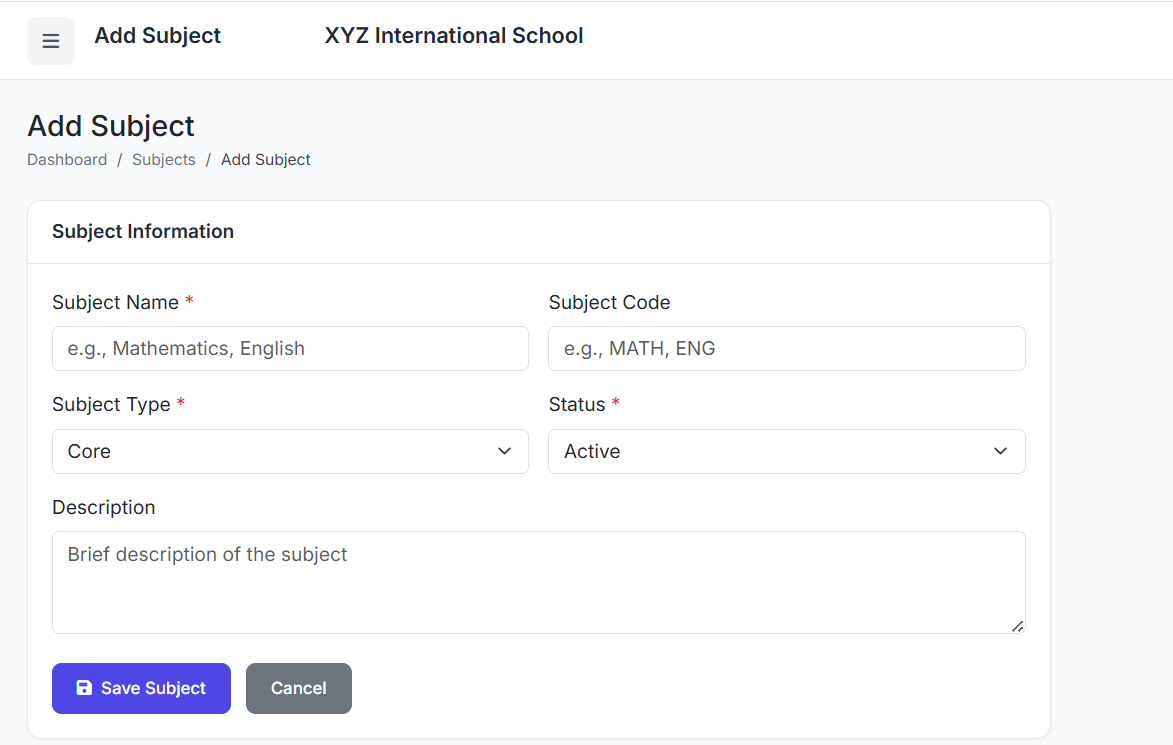
To create a new subject, click the Add Subject button.
Form Fields
| Field | Description | Example |
|---|---|---|
| Subject Name | Full name of the subject | Mathematics |
| Subject Code | Unique identifier (short code) | MATH |
| Category | Core, Elective, or Extra-Curricular | Core |
| Description (optional) | Additional notes about the subject | Algebra, Geometry, Calculus |
| Status | Active or Inactive | Active |
Once completed, click Create Subject to save.
Example Subject Setup
Here are common examples to help maintain consistency across your academic structure:
| Subject Name | Subject Code | Category |
|---|---|---|
| Mathematics | MATH | Core |
| English | ENG | Core |
| Science | SCI | Core |
| Fine Art | ART | Elective |
| Music | MUS | Elective |
| Physical Education | PE | Extra-Curricular |
| Computer Science | CS | Core / Elective (school dependent) |
Editing a Subject
To edit an existing subject:
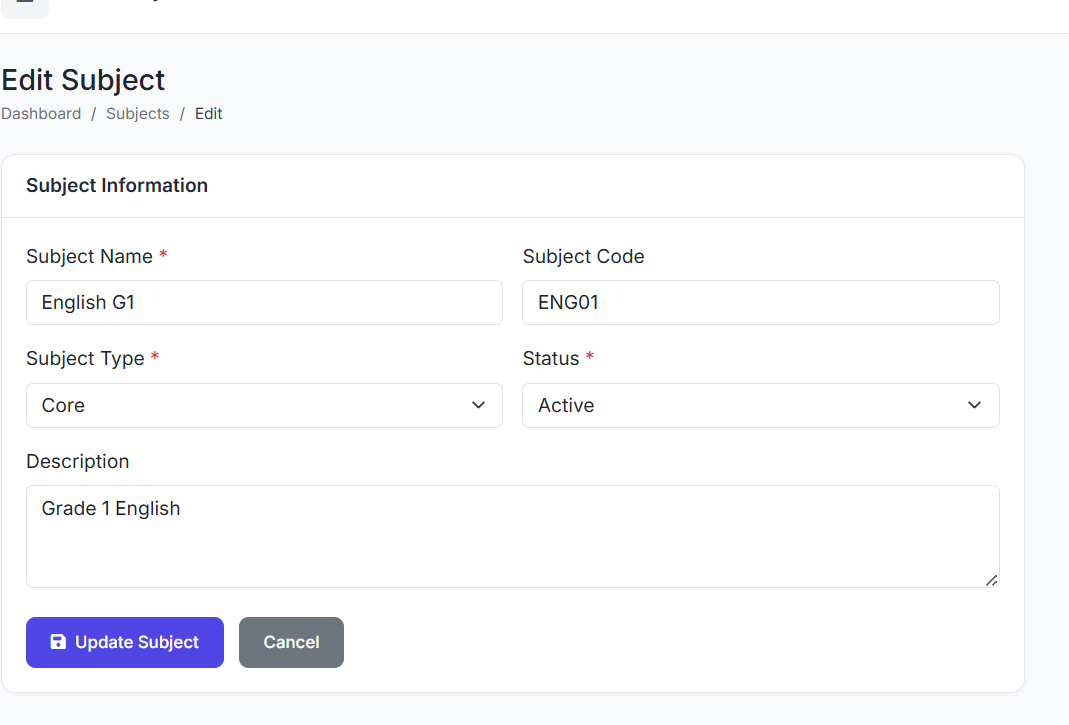
Locate the subject in the list
Click the Edit icon (pencil)
Modify any required fields
Click Update Subject to save
Note: Changes to a subject's name or code will automatically reflect wherever that subject is assigned.
Deleting a Subject
Caution: Deleting a subject requires careful consideration.
A subject cannot be deleted if:
It is already assigned to a class
Exam results exist for that subject
To delete a subject:
First remove all class assignments (via Class Subjects module)
Click the Delete button
Confirm the deletion
Best Practices
For effective subject management:
| Practice | Why It Matters |
|---|---|
| Create all subjects before assigning them to classes | Prevents incomplete class setup |
| Use clear and standard subject codes | Makes filtering and reporting easier |
| Set pass marks according to school policy | Ensures consistent grading standards (configured in Class Subjects) |
| Mark unused subjects as Inactive instead of deleting | Preserves data integrity while hiding unused options |
What's Next?
That's how Subjects are managed in SSMS.
In the next video, we'll look at Class Subjects, where we assign subjects to specific classes and configure their settings – including pass marks, exam weighting, and teacher assignments.
Troubleshooting
| Problem | Likely Cause | Solution |
|---|---|---|
| Cannot delete a subject | Subject is assigned to a class | Remove all class assignments first |
| Cannot delete a subject | Exam results exist | Mark as Inactive instead of deleting |
| Subject code already exists | Duplicate code entered | Use a unique code (e.g., MATH1, MATH2) |
| Subject not showing in class dropdown | Subject status is Inactive | Edit subject and set status to Active |
Closing
The Subjects Module is the foundation of your school's academic structure. By creating a clean, well-organised subject list, you enable flexible curriculum management, consistent reporting, and seamless integration with classes, exams, and grading.