🎯 Report Overview
In this tutorial, we'll learn how to analyze hostel revenue, monitor student fee details, and generate comprehensive financial reports for hostel operations.
The Hostel Fee Report is the financial dashboard for your hostel operations. It provides a clear breakdown of revenue, average fees, and individual student charges, enabling informed financial management and auditing.
🧭 How to Access
Navigate to: Hostels → Hostel Fee Report
📊 Report Structure & Insights
1. Summary Cards (Top-Level Overview)
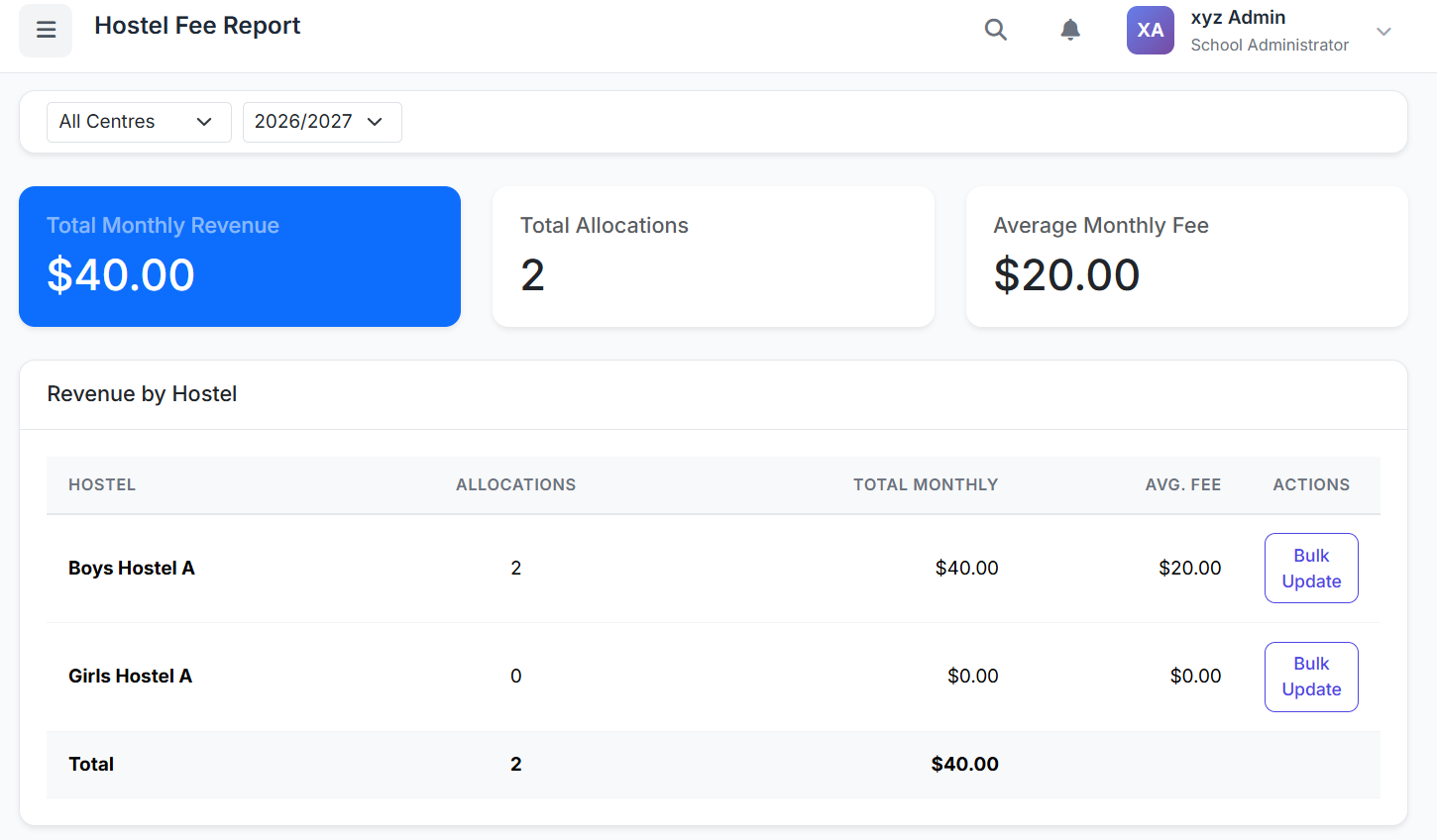
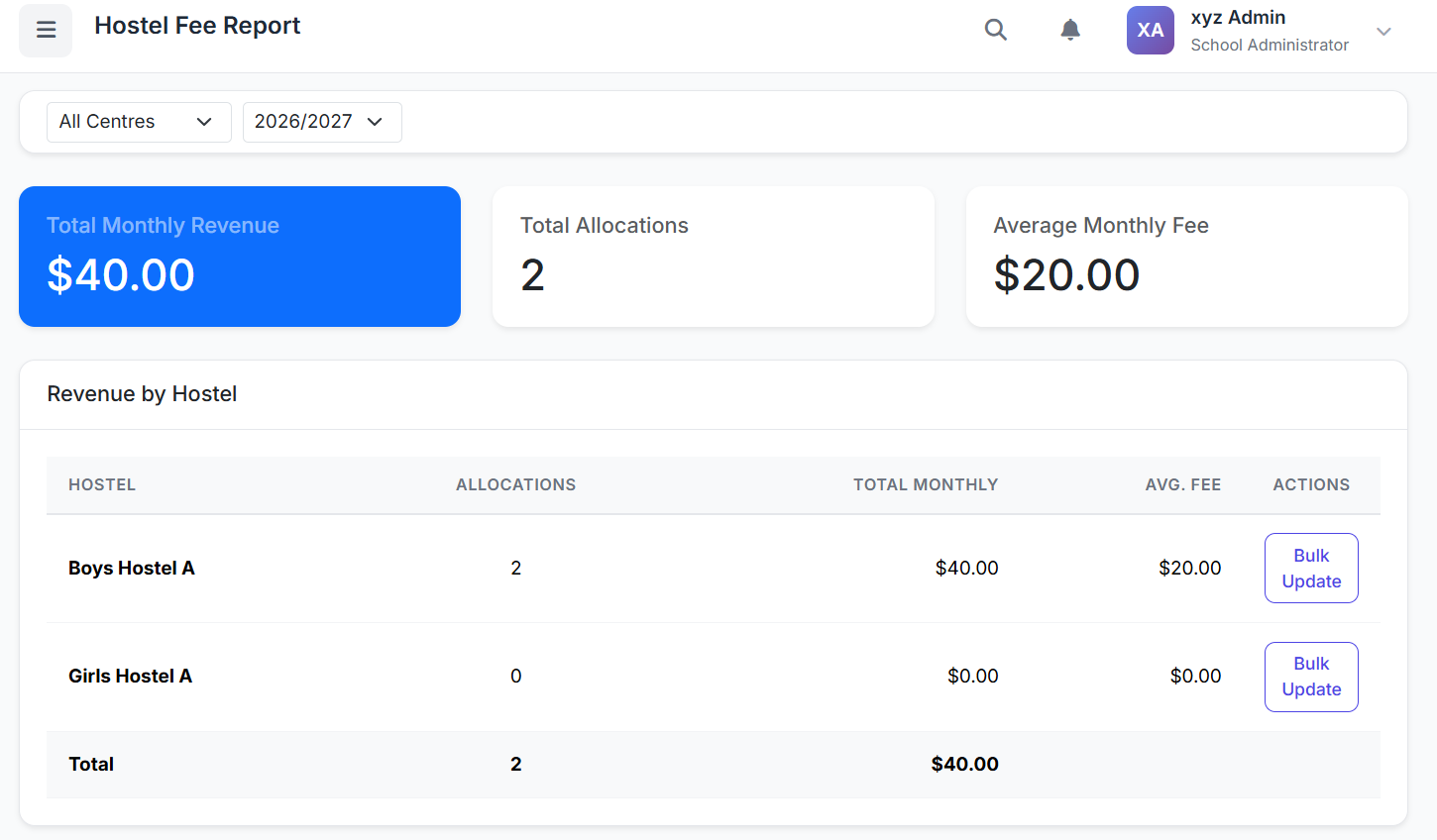
Get an instant financial snapshot with three key metrics:
| Metric | Description |
|---|---|
| Total Monthly Revenue | Sum of all active monthly hostel fees. |
| Total Allocations | Count of students currently assigned to hostels. |
| Average Monthly Fee | Mean fee per student (Total Revenue ÷ Allocations). |
2. Revenue by Hostel Table
A breakdown showing the performance and pricing of each hostel:
| Column | Description |
|---|---|
| Hostel Name | Individual hostel building. |
| Allocations | Number of students in that hostel. |
| Total Monthly Revenue | Income generated by that hostel. |
| Average Fee | Mean fee for that specific hostel. |
| Actions | Bulk Update button for that hostel. |
A "Total" row at the bottom sums all columns for a complete view.
3. Detailed Fee List
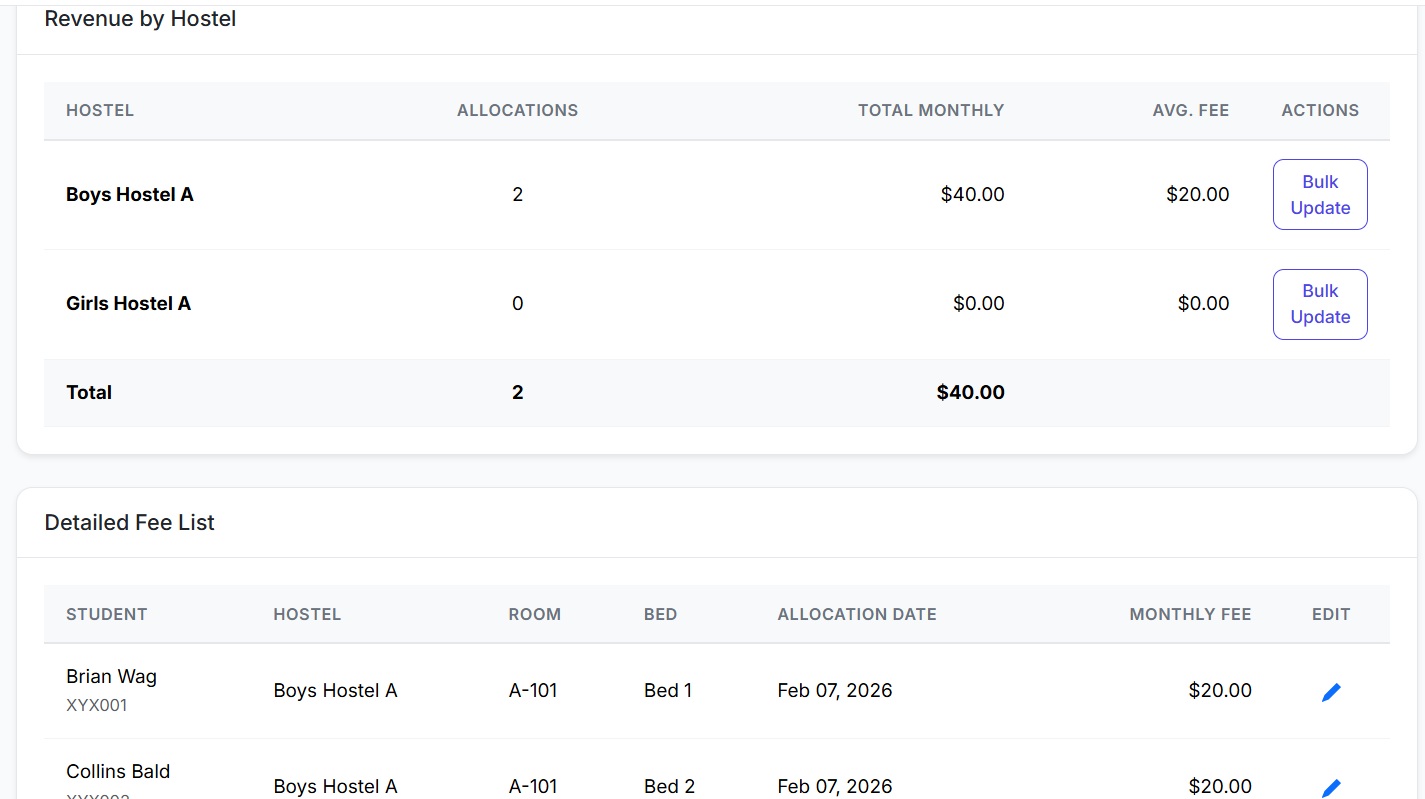
A granular view of every student's hostel assignment and fee:
| Column | Description |
|---|---|
| Student Name | Resident student. |
| Hostel & Room | Assigned accommodation details. |
| Monthly Fee | Individual charge amount. |
| Allocation Date | Start date of their stay. |
| Actions | Edit icon for individual fee adjustment. |
⚙️ Fee Management Actions
Bulk Fee Updates
To apply a uniform fee change to all students in a specific hostel:
In the Revenue by Hostel table, click Bulk Update for the desired hostel.
Enter the new monthly fee.
Confirm.
Result: The fee is updated for all active allocations in that hostel. The summary cards and tables recalculate automatically.
Editing Individual Student Fees
To adjust a fee for a specific student (e.g., for a discount):
In the Detailed Fee List, click the Edit (pencil) icon next to the student.
Enter the new fee amount.
Save.
Result: Only that student's fee is updated. This is ideal for special cases.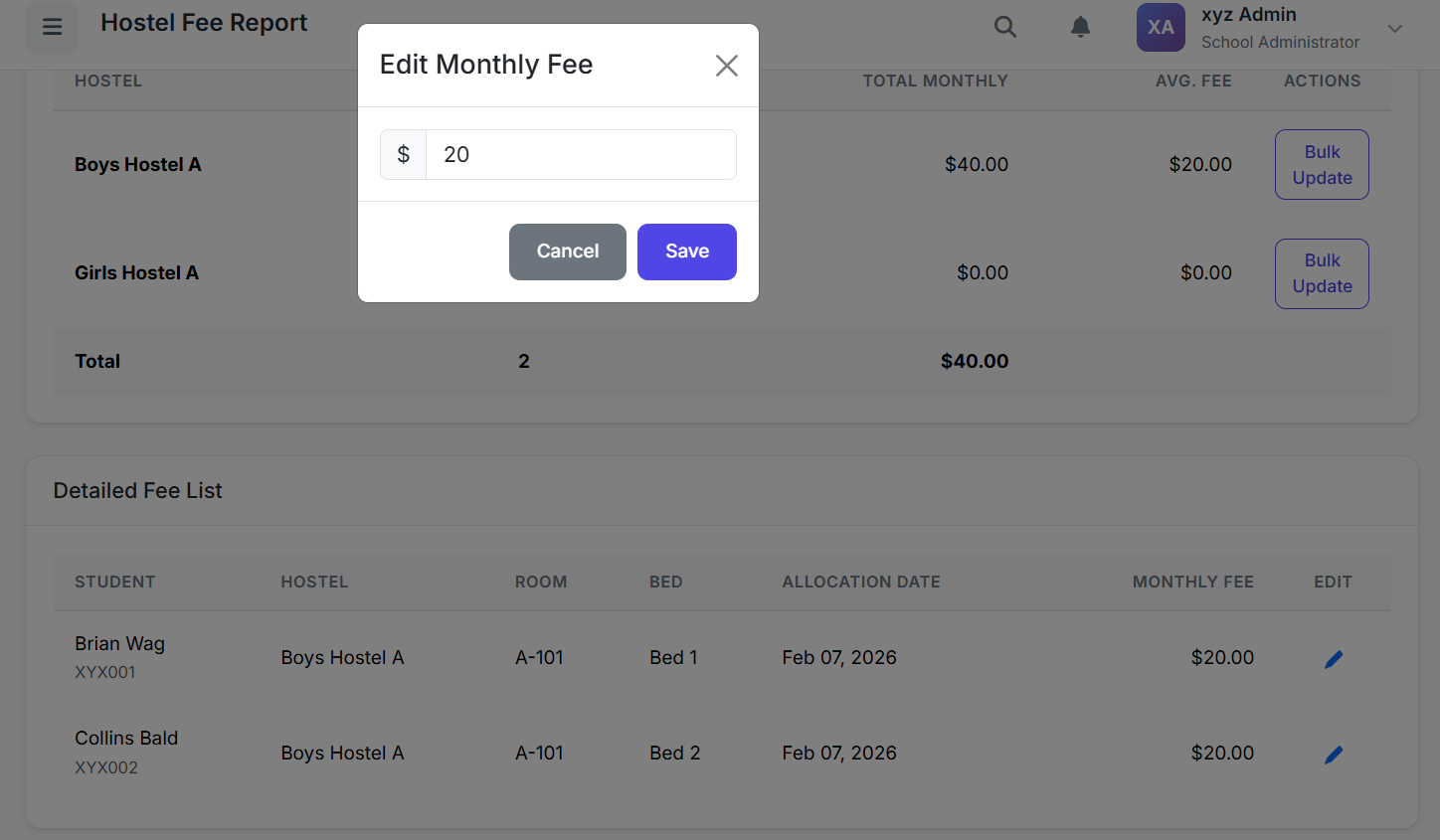
🖨️ Printing & Exporting
Click the Print button.
A print-optimized version of the report opens in a new window.
From your browser, you can:
Send to a printer for hard copies.
Save as PDF for digital records and email distribution.
✅ Best Practices
Monthly Review: Run this report monthly to monitor revenue trends and verify fee collections.
Audit Trail: Use the Detailed Fee List to cross-check with your finance system's receipts.
Strategic Pricing: Analyze the Average Fee by Hostel to inform pricing strategies for different hostel types or amenities.
Timely Updates: Process bulk fee updates at the start of a new academic year or term. Use individual edits for mid-term adjustments.
Documentation: Print/Save PDFs of the report monthly for your financial archives and audit compliance.
The Hostel Fee Report transforms raw allocation data into actionable financial intelligence, providing transparency, control, and ease of reporting for your school's hostel revenue management.
This concludes the Hostel Management module series.